A GNSS anti-jamming product data sheet is the starting point for a selection review, not a substitute for the project requirements. Use it to identify what a supplier has published for a configuration, then separate missing or project-dependent details into questions for a documented RFQ discussion. This simple distinction prevents teams from treating an absent interface, environmental condition, signal statement or integration detail as an implied capability.
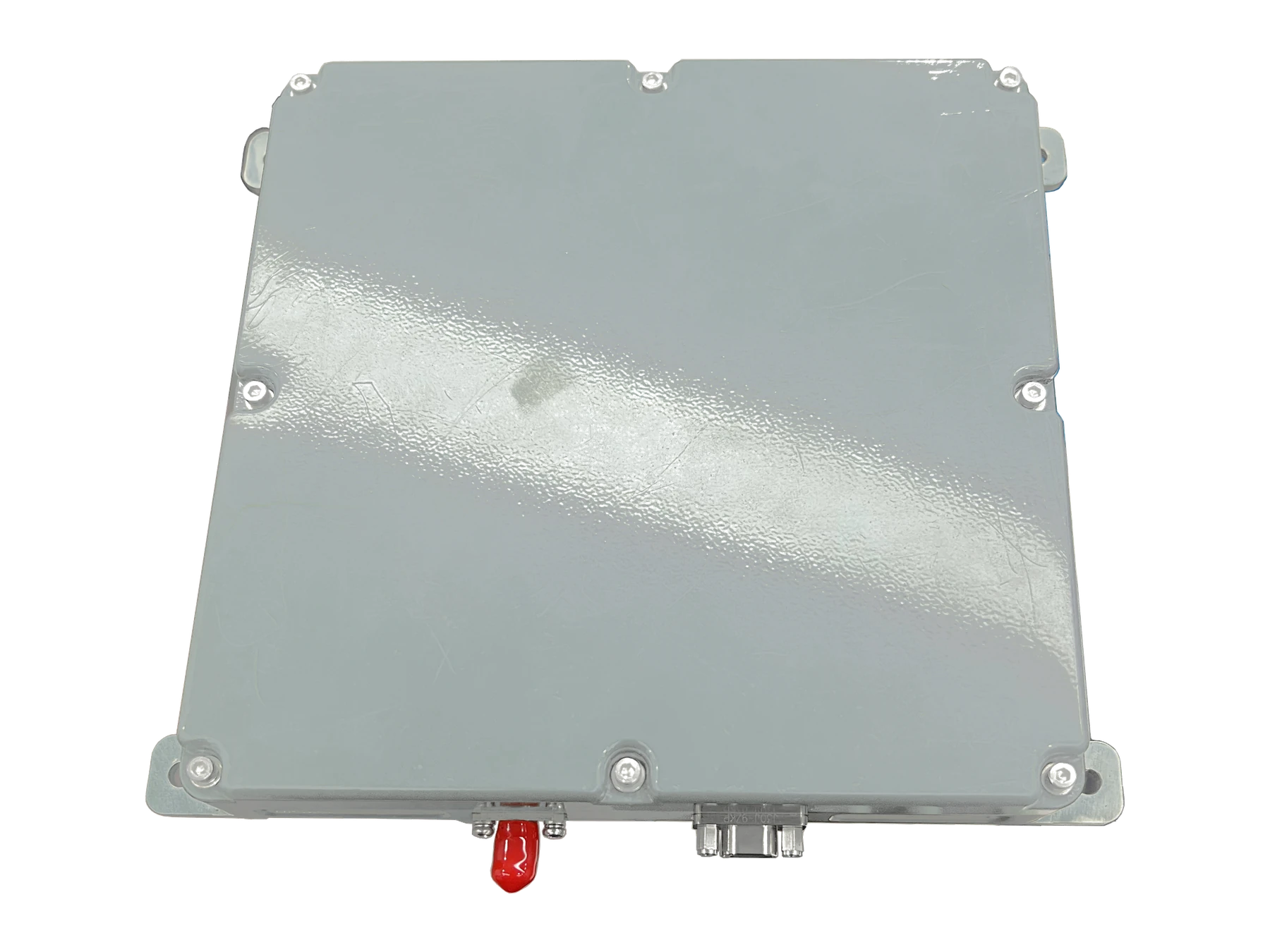
For a buyer, the practical question is not simply “Which product has the longest specification list?” It is “Which published facts address my requirement, and which integration details still need confirmation?” That question is especially important when antenna, receiver, RF path, platform and operating context are reviewed together.
This guide provides a repeatable comparison method for engineering teams, system integrators and technical procurement teams. It does not assign performance ratings, infer unlisted specifications or promise that one configuration is suitable for every platform.
Start with the decision you need to make
Before opening several data sheets, write down the decision that the review must support. A team selecting a published configuration may need to decide whether to continue to a product-specific RFQ. A team with an unresolved integration boundary may instead need a Custom/OEM discussion. These are different decisions, and they require different evidence.
- Published-product route: Use this when a documented configuration appears relevant and the open questions are limited to project confirmation.
- Custom/OEM route: Use this when the platform, required GNSS signals, RF boundary, physical envelope or interface needs cannot be confirmed from public product information.
- Hold-and-document route: Use this when the requirement itself is not yet stable. Record what is known before asking a supplier to compare products.
ResiNav’s GNSS anti-jamming product directory and verified product specifications are the appropriate places to begin a published-configuration review. The Applications pages help frame the platform context; Custom OEM GNSS Integration is the next path when the published information does not resolve the integration question.
Confirm the exact document and model
Record the manufacturer, exact model and variant, document title, revision or version, publication date, and the hardware or firmware scope to which the document applies. A family brochure may establish a product category without documenting a particular configuration. If a revision, applicable variant or released document is unavailable, mark that field not published and ask for the current model-specific record; do not infer that every family member shares the same specification.
Keep a source link or document identifier beside each copied value. This lets procurement and engineering teams distinguish a supplier statement from a project requirement, and it makes later revisions traceable.
Use a four-column product-documentation review
Compare each candidate against the same project requirement. The purpose is not to make documentation look more complete than it is. The purpose is to make the remaining questions visible early enough for the engineering and procurement teams to handle them together.
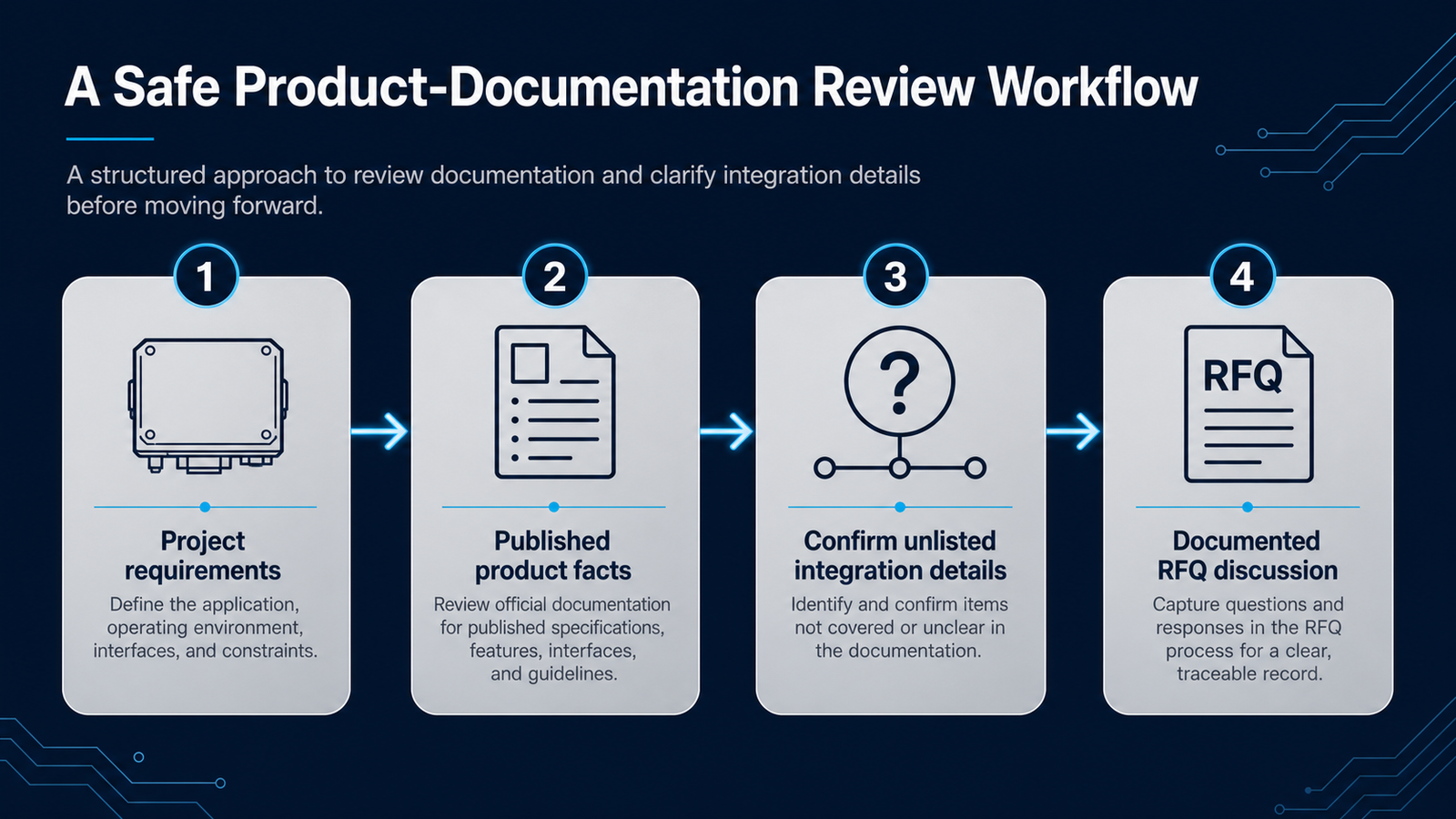
| Review column | What to record | Safe decision rule | Next action |
|---|---|---|---|
| Project requirement | What the platform, receiver, installation and operating context actually need. | A requirement belongs to the buyer; it is not proved by a product name. | Give the requirement an owner and a source, such as an interface document or platform drawing. |
| Published fact | A model-specific statement that appears on the relevant ResiNav product page or released document. | Use it only in the scope in which it is published. | Link or attach the exact source and revision used for the review. |
| Unlisted or unclear detail | An item that is absent, ambiguous or described only at a product-family level. | Do not convert silence into a “yes.” | Put the item on the RFQ question list. |
| Project confirmation | A detail whose answer depends on the actual platform or integration plan. | Do not use another product’s value as a substitute. | Discuss it through a documented engineering RFQ. |
Compare product type before individual fields
First decide whether you are comparing like with like. A product type establishes the integration boundary that the project must review. For example, the antenna-versus-terminal comparison guide explains why a product category cannot be selected by a single specification alone. A published model page, such as RN2512-AJS-16CH-DPA or RN-8AT-FULL-KGR-34V, should be reviewed as its own documented configuration.
Keep product type, model, element count, channel count, signal references and integration details in separate fields. In particular, do not use an element count as a proxy for a channel count, and do not infer a signal or interface from a model name. The separate element and channel count guide is useful when those two concepts need to be kept distinct.
Read signal references in their documented scope
GNSS constellation names and frequency-band codes should be copied exactly from the source record. They are technical identifiers, not marketing shorthand. If the project requires a particular constellation, band or receiver relationship, record the requirement first and then identify whether the relevant product page explicitly documents it.
Do not expand a short form, a product suffix or an umbrella term into a list of unlisted bands. Public GNSS documentation, such as the GPS interface-control-document resources, illustrates why signal identifiers are precise technical references. A product selection still depends on the published configuration and the project’s receiver and RF integration needs.
Review GNSS signal and RF scope
For each exact model, record only the constellations, bands and signals that its published record names. Then identify the role of every RF input and output, the antenna or array boundary, and any documented connector, impedance, bias or gain information. Loss, dynamic range and RF level limits are also review fields where they matter to the project, but a blank field is a question for engineering confirmation, not a zero, a default value or evidence of support.
Ask whether each figure describes a component, an antenna assembly, a receiver input or a complete anti-jamming system. Values from different boundaries or test conditions are not directly comparable merely because they use the same unit.
Separate stated capability from test evidence
Do not rank unlike “dB” figures as if they measure the same purchase. Component interference suppression, a complete receiver-plus-protection system’s jammer-to-signal (J/S) limit, and a receiver’s carrier-to-noise-density observation (C/N₀, dB-Hz) answer different questions. NovAtel notes that a published anti-jam figure may cover the CRPA alone or the CRPA together with a receiver; its receiver documentation labels C/N₀ as a dB-Hz observation. The shared letters “dB” do not make the measurement boundaries interchangeable.
Illustrative arithmetic, not a product result: if a document explicitly defines 20 dB of jammer-power suppression between two specified measurement points, the power ratio at those points is 1020/10, or 100:1. This follows the NIST definition of a decibel ratio. It does not mean 100 times better position accuracy, 100 times more operating range, or a pass under a different interference waveform. A second hypothetical offer stating a 25 dB system J/S limit cannot be declared better than that 20 dB component figure merely because 25 is larger.
For the arithmetic behind these distinctions, see the definitions of GNSS J/S, J/N, dBc and dBm and how bandwidth and time averaging change their interpretation.
Match the metric to what is being bought. For an add-on RF device, compare its defined input-to-output interference reduction and what happens to wanted GNSS signals. For an antenna-plus-receiver purchase, compare a system-level J/S or continuity result only with the named receiver, firmware, signal set and pass condition. For receiver logs, use C/N₀ and validity/status changes as observations of that receiver—not as another anti-jam suppression rating.
Two figures become a fair numerical comparison only after the sources define the same metric, measurement points, GNSS bands, jammer waveform and direction, receiver configuration, and success criterion. A higher number then describes that particular test, not universal resilience. If those definitions are absent, the numbers remain unranked; the buyer can still shortlist by documented product role and commission a like-for-like evaluation. No number in the illustrative example is a measured or promised ResiNav result.
For receiver-log interpretation, read how GNSS C/N0 relates to SNR and why signal selection and observation settings matter before comparing two traces.
Make integration questions visible rather than assumed
Teams often need answers about installation space, mounting location, RF connection path, interfaces, input power, cable routing, environmental conditions and the receiver boundary. Some of these may be published for a specific configuration. Others may only be meaningful when the actual platform is known. Treat both cases differently.
- Mark the evidence source for every fact used in the comparison.
- Label a missing field as not published, rather than “not applicable” or “supported.”
- State the project consequence of the open field: fit, receiver integration, documentation review or engineering confirmation.
- Ask the question in the RFQ with the platform context that makes an answer possible.
Check receiver and platform interfaces
Identify the receiver model and firmware context, RF connection and antenna-power responsibility, electrical supply, navigation or timing outputs, control and status signals, and fault or validity indications. Note connector and cable constraints, mechanical envelope, mounting, environmental conditions and installation ownership. A data sheet may document some of these; the rest require a platform-specific question rather than a compatibility assumption. The GNSS receiver compatibility guide provides an interface-by-interface review path.

This approach remains useful even when some project details are not yet available. The goal is not to delay a discussion until every parameter is known. It is to separate known inputs from open questions so that the next discussion is focused and traceable.
Use a comparison worksheet that does not overstate evidence
A compact worksheet keeps technical, procurement and program stakeholders aligned. It can be added to a sourcing file, internal design review or RFQ appendix.
| Requirement area | What the team knows | What to verify in published information | When to use the Custom/OEM path |
|---|---|---|---|
| Platform and application | Equipment type, operating context and installation owner. | Whether the documented product type is relevant to the integration boundary. | When the form factor or integration responsibility is unresolved. |
| GNSS signals and receiver | Required constellations, bands and receiver context. | Only the exact model-specific signal references that are published. | When the receiver or signal requirement cannot be matched from public information. |
| RF and mechanical boundary | Available space, routing constraints and known RF architecture. | Published dimensions, RF information or mechanical facts where present. | When a required RF, mounting or enclosure detail is unlisted. |
| Interface, power and environment | Known project constraints and acceptance conditions. | Only fields explicitly released for the configuration. | When an unlisted condition is necessary for the project decision. |
| Commercial planning | Prototype or estimated quantity, destination and project stage. | Whether a documented product can proceed to an inquiry. | When the project needs requirement clarification before a product-specific request. |
Check behavior under interference and recovery
Ask for a baseline without interference, the response as interference is introduced, any degraded or invalid state, alarm and status behavior, the conditions for recovery, and repeatability across runs. Record whether a reported time is measured from interference removal, signal reacquisition, restored navigation output or another defined event. The receiver evaluation and recovery test guide sets out a bench-review method; it is not a claim that a particular product passed those tests.
Build a comparable supplier worksheet
Use the same fields for each candidate and preserve the source and revision for every answer. Write not published for a missing supplier statement and keep the resulting engineering question visible. The worksheet is a review aid, not a downloadable datasheet or a product-performance comparison.
| Review field | Evidence to record | Open question if absent or unclear |
|---|---|---|
| Document identity | Exact model or variant, document revision, date, applicable hardware and firmware. | Which released record governs the configuration being quoted? |
| GNSS scope | Named constellations, bands and signals for the exact model. | Which required signals are explicitly documented? |
| RF interfaces | Port roles, antenna boundary, connectors and published RF conditions. | What are the input/output, impedance, bias, gain, loss and level limits for this configuration? |
| Electrical interfaces | Supply range, power responsibility, connector and cable information where released. | Which subsystem powers the antenna, receiver and anti-jamming device? |
| Control and status | Commands, outputs, timing, validity, fault and alarm definitions where documented. | How does the platform detect degraded or stale navigation data? |
| Mechanical and environment | Dimensions, mounting, operating environment and installation constraints where released. | What remains to be checked against the platform drawing and operating profile? |
| Test conditions | Signal setup, interference type and level, measurement point and pass criterion. | Under what conditions was each performance statement established? |
| Recovery behavior | Baseline, degraded state, alarm, recovery definition and repeated-run evidence. | When does the reported recovery interval start and end? |
| Missing evidence | Unlisted, ambiguous or family-level claims kept separate from model facts. | Which document, test record or engineering answer is needed next? |
| Engineering review | Project requirement, responsible owner, supplier answer and decision status. | What must be confirmed before selection or RFQ closure? |
Common review errors to avoid
Using a model name as a specification
A model name identifies a configuration; it does not replace the model’s published technical record. Keep the name unchanged, but use the product page or released documentation for the facts you compare.
Borrowing an unlisted value from another model
Products in the same directory may be related without sharing every integration detail. A value on one published model page is evidence for that model only unless the supplier has published a broader statement.
Turning a missing field into a negative or a positive claim
An absent statement is not proof that a feature is excluded, included or irrelevant. It is an RFQ question. This is the most important discipline in an evidence-first comparison.
Starting with a product table instead of the project boundary
A comparison becomes more useful when the platform, receiver, signals and installation context are written down first. See the antenna–receiver–platform integration review guide for a broader framework.
Move from comparison to a documented RFQ
When a published configuration appears relevant, link your worksheet to the product page and list only the remaining questions. When the requirements cannot be confirmed from published information, use the Custom/OEM path rather than forcing a comparison to reach a premature answer. In either case, an RFQ can start with the information already available and be refined as the technical review develops.
Send the platform and application, receiver model, required GNSS signals and bands, RF and electrical interfaces, mounting space, operating environment, interference scenario, and the exact document revision reviewed. Start from the Products directory for model identity or the engineering Resources hub for review guides, then use the existing RFQ route to ask for configuration-specific documentation and engineering confirmation.
Discuss Your GNSS Requirements
Frequently asked questions
Should we reject a product when a field is not listed on a public page?
Not necessarily. Record the field as unlisted and explain why the project needs it. The appropriate next step is a documented RFQ question, not an assumption about the answer.
Can we compare two models by their names alone?
No. Use the exact published model pages and documents. Keep product type, model, elements, channels, signals and integration conditions as separate review fields.
When should a team move from a published product review to Custom/OEM discussion?
Move to that discussion when the platform, GNSS requirement, RF boundary, physical envelope or interface condition necessary for the decision cannot be confirmed from published information.
Do we need every integration detail before sending an RFQ?
No. Send the known project inputs and identify open items. The RFQ can document questions that need technical confirmation as the project review progresses.
Why keep “not published” separate from “not applicable”?
They mean different things. “Not published” describes the evidence available to the buyer; “not applicable” is a technical conclusion that should only be made when the project and product information support it.
NEXT STEP
Turn available platform information into an engineering review.
Use the Technology centre to frame the discussion, review relevant application scenarios, then send the available platform and receiver details for confirmation.