Buy spares for defined replacement groups, not simply for the number of GNSS units in the fleet. A shared spare is useful only if it can replace an identified installed configuration and return that installation to its agreed operating state. The same signal bands, model family or outward appearance do not establish interchangeability.

For procurement and maintenance leads, the first decision is whether to buy a common replacement unit, a unit plus a platform-specific installation kit, or separate spares for different configurations. This guide explains that choice before quantity is fixed. It is a purchasing method, not a product maintenance procedure, an availability guarantee or a promise that ResiNav supplies a particular service kit.
Choose what the spare is intended to replace
Separate the replaceable unit from everything needed to put it back into use. A bare terminal might be enough when the existing mount and harness stay in place. It is not a complete recovery provision when the likely service task also replaces a damaged harness, requires inaccessible fasteners, or leaves the receiver configuration unknown.
| Replacement situation | Purchase decision | What must be true before sharing the spare |
|---|---|---|
| Same approved supplied configuration and installation boundary | Consider one common spare pool for that group. | Supplied revision, connections and applicable settings are identified; the agreed replacement and return-to-service checks work for each installation. |
| Same replaceable unit, but platform-specific mounts or harnesses | Consider common units with separately identified installation kits. | The common-unit claim is established; each kit is available at the point of use and its contents are explicit. A common unit alone is not a complete kit. |
| Different product model, supplied revision or changed interface | Keep a separate replacement group until substitution has been accepted. | The proposed substitute is reviewed against the installation and evidence. A catalog comparison is not an approved substitution. |
| Installed configuration cannot be identified reliably | Resolve that identity before counting a shared spare as coverage. | The installed item and applicable records agree. Missing information is an unresolved decision, not proof that the spare will or will not work. |
Why matching GNSS bands does not make two models interchangeable
The published RN2501-AJS-4CH-DPA record and RN2512-AJS-16CH-DPA record both list BDS B1 and GPS L1. Their documented physical envelopes differ: RN2501 is 150 × 130 × 22 mm, while RN2512 is Ø370 × 28.7 mm. Those facts already prevent treating the signal list as a complete replacement specification.
For example, a hypothetical installation with an unobstructed 170 × 150 mm mounting footprint cannot accept a 370 mm-diameter enclosure within that footprint. The RN2501 enclosure dimensions fit the stated footprint numerically, but that alone does not approve mounting holes, connector clearance, orientation or electrical integration. The example uses assumed platform space, not a tested installation. Neither model is ranked as the better spare or claimed to be interchangeable with the other.
Use the product catalogue and public datasheets to identify the item to discuss. A connector drawing, input-voltage range, revision relationship or substitution approval that is not public remains a question for the exact supplied configuration.
Worked purchase example: ten installations, three replacement groups
Illustrative planning assumptions, not a ResiNav recommendation or reliability forecast: ten installations comprise six of configuration A, three of configuration B and one of configuration C. Each configuration has an established replacement process, but cross-group substitution has not been approved. All ten are supported from one accessible depot. The buyer’s chosen planning rule is one ready spare per replacement group, with no allowance yet for simultaneous failures or replenishment delay.
- Installed quantity: 6 + 3 + 1 = 10 units.
- Initial spare quantity under that rule: 1 + 1 + 1 = 3 units, one assigned to each group—not one unidentified spare for all ten.
- If B is later approved to use A’s exact replacement unit: two groups remain, giving 2 spares under the same rule. Any B-specific kit still needs separate provision.
- If the depot cannot reach an installation within the allowed restoration window: commonality alone does not solve coverage. Stock location, transport and the buyer’s downtime tolerance must be reconsidered.
The arithmetic exposes the grouping decision; it does not determine an optimum stock level. Failure data, concurrent demand, repair or replacement lead time, storage conditions and the cost of downtime are still required to choose a justified quantity. Ask for supplier terms rather than assuming advance replacement, local inventory, repair turnaround or long-term availability.
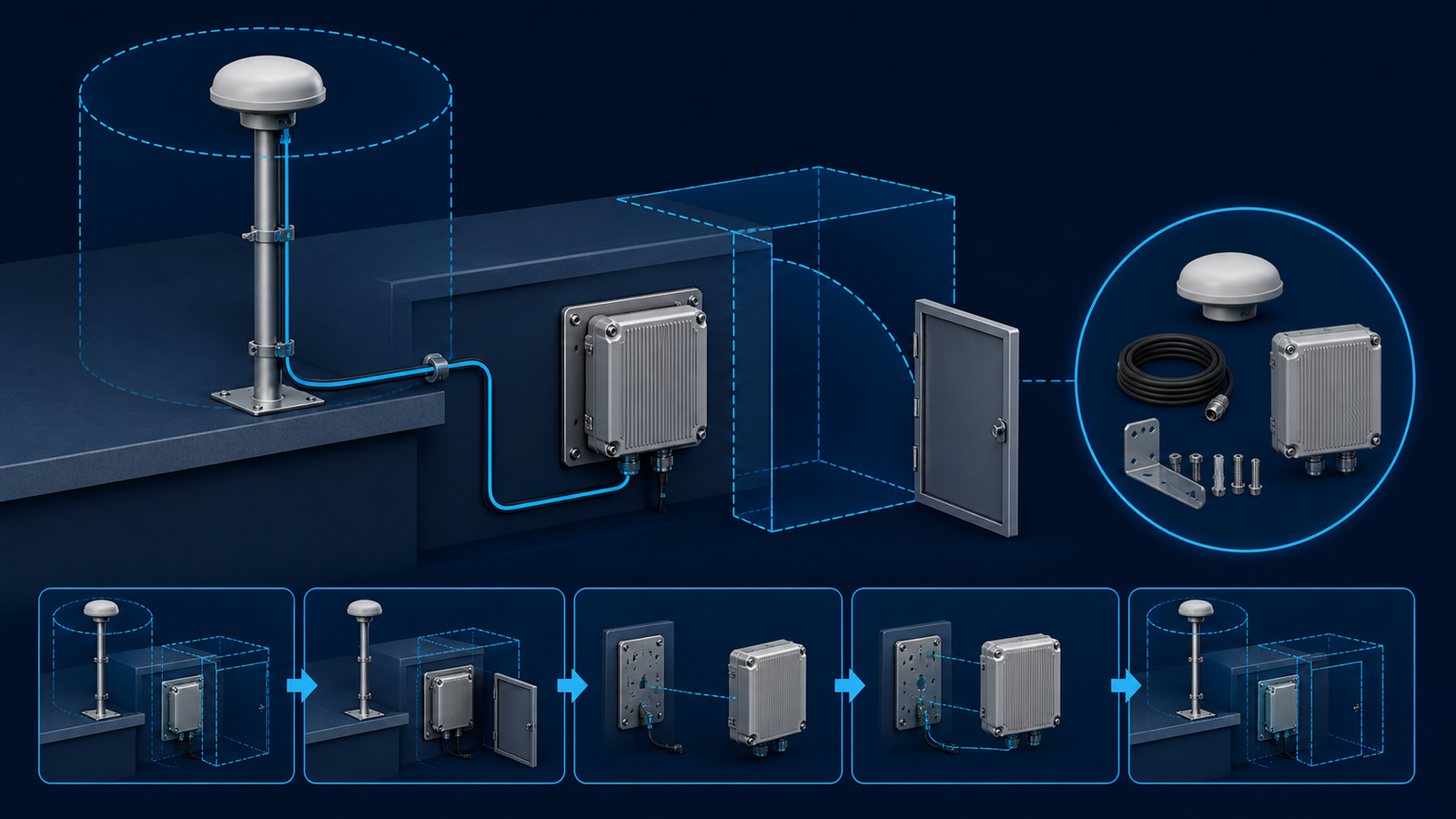
Buy for the service task, not just the enclosure
Trace the access path before deciding whether the order should contain a bare unit or a fuller replacement provision. If a technician must disturb an adjacent cable, remove a cover or change a mounting part, identify which items can be reused and which must accompany the spare. Confirm any consumables, tools and installation parts against the actual procedure; the illustration above does not define the contents of a ResiNav package.
Keep three commercial lines distinct: the identified GNSS unit, the agreed installation items, and any separately agreed service or support scope. Ask the quotation to show inclusions and exclusions for each. Use the supplier quotation guide for comparing offers rather than treating a low unit price as a complete replacement cost.
A replacement is not finished when power returns
Plan how the team will identify the replacement, restore applicable settings and establish that the platform can return to its agreed operating state. A receiver producing data is not, by itself, evidence that the previous configuration or controller expectations have been restored.
As a receiver-specific example, NovAtel’s OEM7 documentation describes saving a startup configuration in non-volatile memory. This illustrates why settings can be a separate replacement dependency; it is not an instruction to use that command on ResiNav equipment or evidence of compatibility with a named receiver.
Agree a concise release check for each group: correct supplied identity, installation restored, applicable receiver settings restored, expected status and data observed, and the responsible party’s release decision. Where replacement changes the configuration rather than restoring it, use the configuration-change review before treating the new item as routine stock.
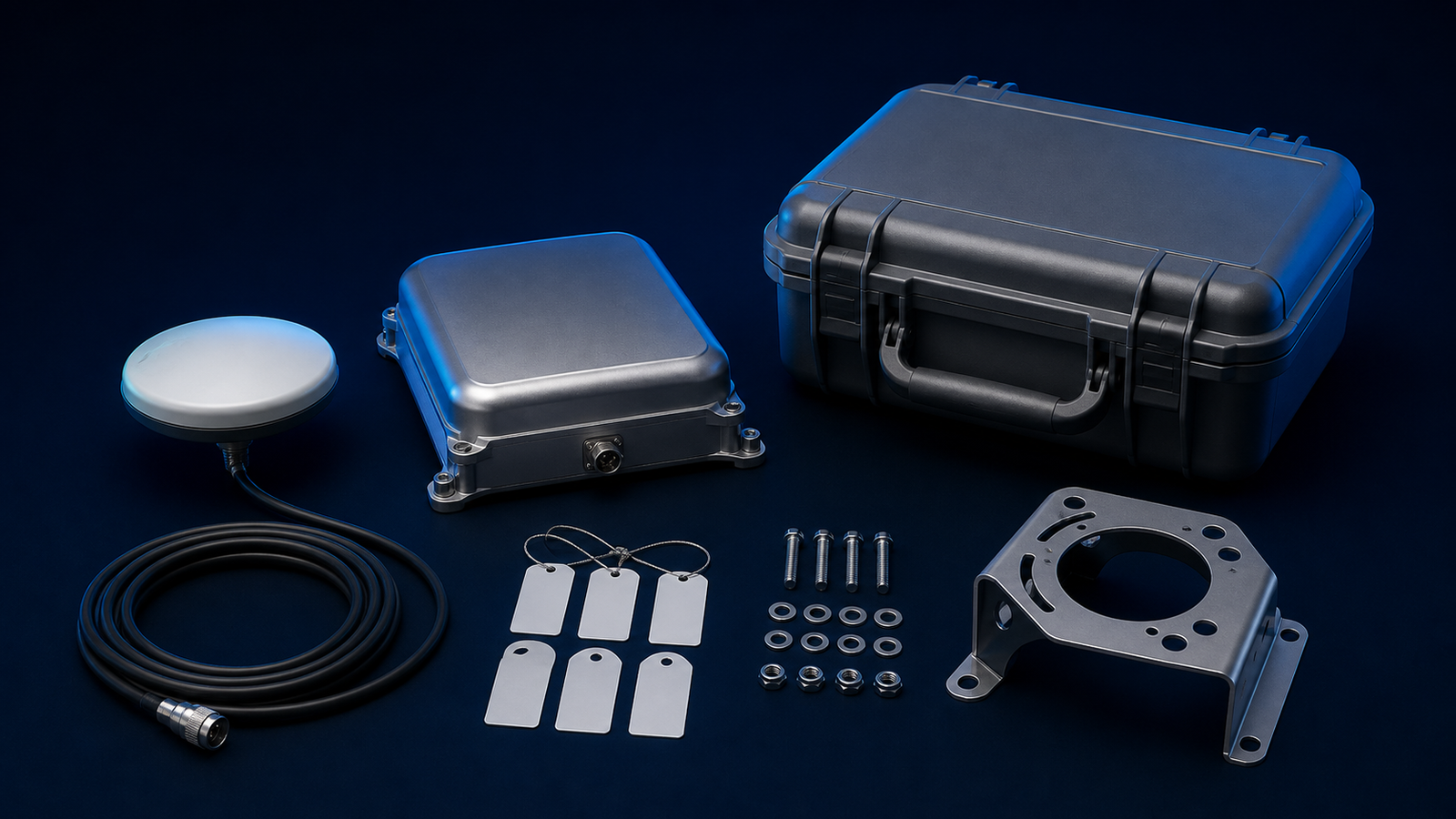
Make the spare order unambiguous
Give each spare-order line a replacement group, exact model and agreed supplied revision, quantity and stocking location. Identify the installation kits separately, name the configuration record that travels with the unit, and state any supplier support requested as a quotation item—not an assumed entitlement. This keeps one clear link between the physical spare and the installations it is intended to serve.
NASA’s configuration-management guidance supports keeping product identity and technical information consistent through the lifecycle. That is a general organizing principle, not a NASA approval, ResiNav certification or prescribed stockholding policy.
If the intended replacement requires a changed enclosure or electrical boundary, separate that proposed change from the ordinary spare order. The Custom OEM integration page is the appropriate next route for defining that question; a requested change is not a confirmed available variant.
Frequently asked questions
Should serviceability planning happen before a GNSS product is selected?
It should begin before a multi-unit purchase is finalized. Early planning identifies access, replacement and platform-specific questions that can affect how a published product is evaluated.
Does this guide define a maintenance procedure for a ResiNav product?
No. It is a planning guide for buyer teams. Product-specific procedures and integration details require the actual product information and project context.
What if our team does not yet know the final connector or interface?
List it as an open technical input. Do not infer it from an article, model name or another platform. Include the available receiver and RF context in the RFQ so the point can be discussed.
Can one spare approach cover every platform in a fleet?
Only after the platform-specific installation differences have been identified. Similar equipment may still have different mounting, cable, power or receiver integration conditions.
When should a team use Custom/OEM GNSS integration?
Use it when public product information does not settle the physical, RF, receiver, interface, power or environmental questions needed for the intended platform.
Request a quote for identified replacement groups
Send the group quantities, current model/configuration references and whether each line needs a unit only or specified installation items. Ask the quotation to state the supplied identity, package contents and support terms. Keep unresolved substitution requests separate from like-for-like spare quantities.
Request a spare-configuration quote Browse engineering guides